

Discussion Control
The CCSE-CU-R supports almost any kind of small or medium meeting. For business discussions and small conferences, two to six microphones can be active simultaneously, with the chairperson always having speaker priority. The active microphone selection knob on the rear panel can be used to select the number of active participants. Unused microphones are switched off automatically after 65 seconds if delegates forget to switch off their units.
Supplies power for up to 50 Discussion units
The CCSE-CURAS-R has two trunk outputs for the loop through connection of discussion units. It is possible to connect a maximum of 25 discussion units to each trunk output in open loop configuration. Maximum trunk length supported by CCSE-CURA-R is 100m in open loop configuration. For closed loop configuration with 50 discussion units the loop length can be extended up to 200meter. A maximum of 50 discussion units can be connected to a CCSE-CU-R.
Recorder and amplifier
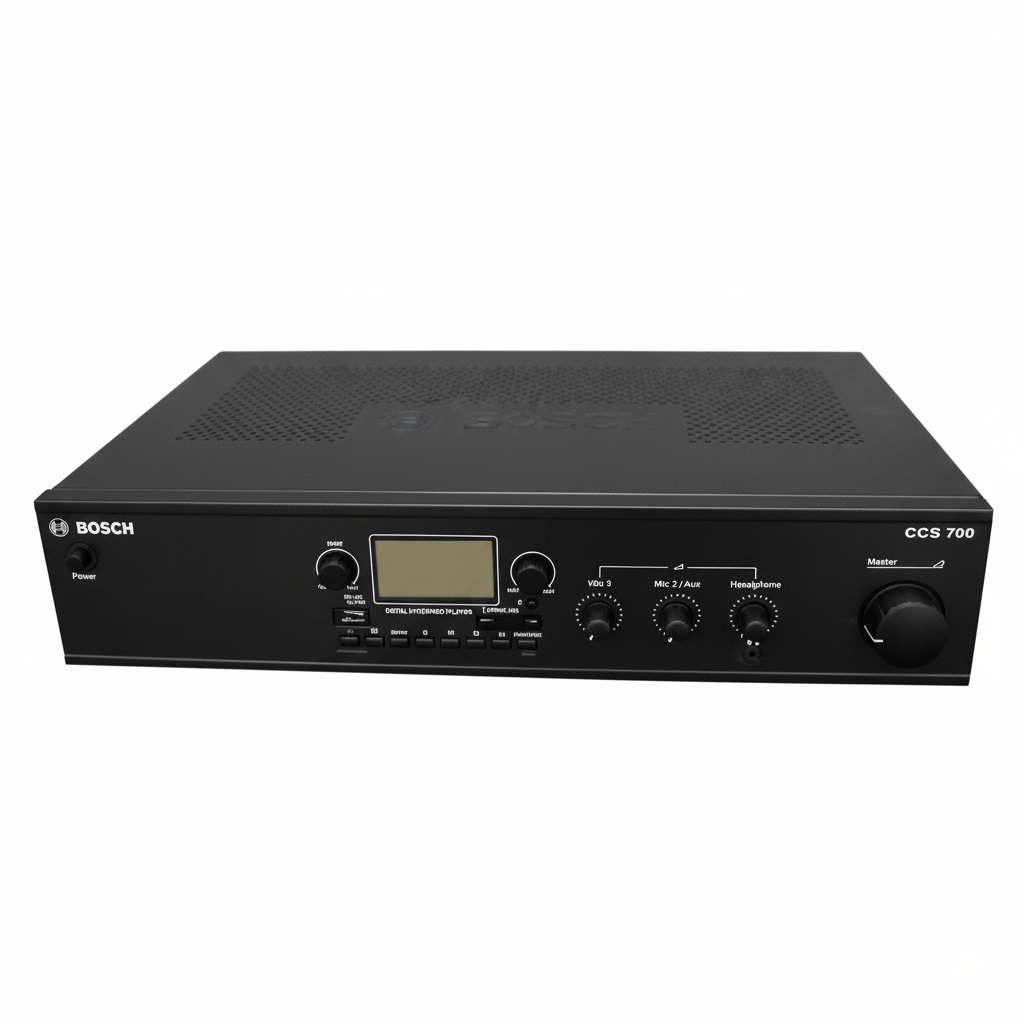
The conference controller has an in-built recorder. The user needs to plug in either a USB drive or an SD Bcard to record the meeting, which can be used to minutes the meeting. The Controller is also equipped with a 30 Watt power amplifier, by which the user can connect additional speaker for sound reinforcement.
Audio Interfaces
The CCSE-CU-R can be interfaced with different type of devices like external audio recorder, sound reinforcement system, external microphones and external music player. The headphone output on the front of the CCSE-CU-R can be used by a secretary for taking the minutes of the meeting, the headphone output also has a volume control knob to adjust the volume of the headphone. To support external participants (during town council meetings, for example), extra microphones in any style (wired, wireless, handheld or podium) can be connected to the system through mic inputs.
Controls and Indicators
- Equalizer comprising of knobs at 250 Hz, 2 kHz and 8 kHz
- Volume control for Mic 1 input
- Volume control for Mic 2 / Aux input-Headphone input and volume control
- Master volume control
- Sliding switch for Equalizer On/Off
- Sliding switch to enable or disable the priority tone for chairperson units
- Number of Active microphone control knob
Interconnections
Trunk input and output 8-pin DIN connectors for loop through connection
- Microphone input with XLR connector
- Configurable Mic or Aux input with 6.5 mm phono jack
- Cinch connectors for connecting to external PA system and recorder
- Earth connection screw
- Mains socket
