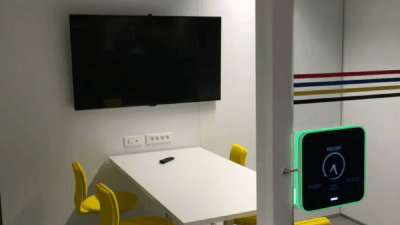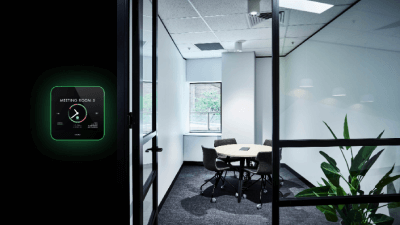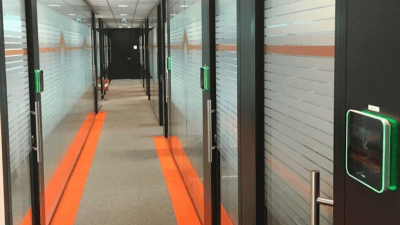
Walk past any meeting room in a modern Malaysian office and you will likely see a sleek touchscreen panel mounted on the wall outside the door. It glows green when the room is free and red when occupied. That device is a meeting room manager — and it is quietly transforming how organisations across Kuala Lumpur, Penang, and Johor Bahru run their workplaces.
If your office still relies on a shared spreadsheet, a paper sign-up sheet, or a WhatsApp group to book rooms — this guide is for you.
What Is a Meeting Room Manager?
A meeting room manager is a hardware and software solution that allows employees to view, reserve, check in to, and release shared meeting rooms in real time. At its core, it consists of two components:
1. The room display panel — a touchscreen device mounted outside each meeting room. It shows the room’s current status (available or occupied), who has booked it, and when it becomes free next. Employees can book a room directly on the panel with a single tap.
2. The management platform — software (cloud-based or self-hosted) that syncs all room panels with your organisation’s central calendar system, such as Microsoft Outlook, Microsoft 365, or Google Workspace. Every booking made through Outlook appears instantly on the panel — and vice versa.
In short: a meeting room manager bridges the gap between your digital calendar and the physical room outside your door.
How a Meeting Room Manager Works — Step by Step
Understanding the workflow makes it clear why organisations with just three or more shared rooms see an immediate difference after installation.
Step 1 — Check Availability at a Glance
An employee walks to a meeting room. The panel outside shows green (available) or red (occupied), along with the next available slot. No login, no app, no guessing. The answer is visible from three metres away.
Step 2 — Book the Room on the Spot
For an ad-hoc meeting, the employee taps the panel and books the room for 30, 60, or 90 minutes immediately. No need to open Outlook or a booking app. The room is reserved in seconds.
Step 3 — Calendar Sync Happens Automatically
Any booking made on the panel syncs instantly with Microsoft Exchange, Microsoft 365, or Google Workspace. Conversely, any room booked through Outlook or Google Calendar appears on the panel in real time. Both directions are always in sync — no manual updates required.
Step 4 — Check In to Confirm the Meeting
When the meeting starts, the organiser confirms attendance by tapping “Check In” on the panel or tapping an RFID access card. This step is critical: if no one checks in within a configurable window (typically 10 minutes), the room is automatically released — making it available for others immediately.
This single feature eliminates one of the most common and costly problems in shared offices: the ghost meeting.
Step 5 — Analyse Usage Data
From a central management dashboard, facility managers can view room utilisation rates, peak booking times, ghost meeting frequency, and average meeting duration. These analytics help organisations make evidence-based decisions — such as whether they need more rooms, fewer rooms, or simply better booking discipline.
What Is a Ghost Meeting?
A ghost meeting is a room booking where the attendees never showed up — leaving the room marked as occupied when it is actually empty. Ghost meetings are extremely common in Malaysian offices and are a major source of frustration for employees who need a room urgently.
Without a meeting room manager, there is no mechanism to detect or reclaim a ghost meeting. With Evoko’s check-in enforcement, ghost meetings are eliminated automatically — the room is released and visible to all within minutes of a no-show.
Meeting Room Manager vs Meeting Room Booking System — Is There a Difference?
The terms are often used interchangeably, but there is a subtle distinction:
A meeting room booking system typically refers to the software layer — the calendar integration, the backend, and the logic that manages reservations.
A meeting room manager includes the physical room display panel that sits outside the room, making the booking status visible and bookable at the room itself — not just from a computer screen.
In practice, the best solutions combine both: the Evoko range (Naso, Liso, Kleeo) includes both the hardware panel and the booking platform in one integrated system.
Why Malaysian Offices Need a Meeting Room Manager
Malaysian workplaces — particularly in the Klang Valley, Penang, and Johor — are increasingly moving to hybrid work models and flexible office layouts. This creates two critical room management problems:
Problem 1: Double bookings. Without a real-time sync between calendar and room, two teams often book the same room simultaneously. One team always loses.
Problem 2: Underutilised space. Studies consistently show that meeting rooms are actually occupied only 30–40% of the time they are booked. Ghost meetings account for a significant portion of this waste. For companies paying premium rents in KLCC or Bangsar South, every unused meeting room hour has a real cost.
A meeting room manager solves both problems within the first week of deployment.
The Evoko Meeting Room Manager Range — Available in Malaysia
Hayamim AVA is Malaysia’s authorised Evoko distributor, supplying three models designed for different office types:
| Model | Hosting | Best For |
|---|---|---|
| Evoko Naso | Cloud (Biamp Workplace) | Modern hybrid offices, easy IT setup |
| Evoko Liso | Self-hosted (Evoko Home) | Government, finance, data-sensitive orgs |
| Evoko Kleeo | Cloud (Biamp Workplace) | Hot-desking and flexible seating |
Evoko Naso — Cloud-Hosted Room Manager
The Evoko Naso is Evoko’s latest cloud-hosted meeting room display panel, running on the Biamp Workplace platform. It integrates with Microsoft 365 and Google Workspace out of the box, with automatic software updates and remote multi-site management. For offices that want a meeting room manager with minimal IT overhead, Naso is the natural choice.
It also supports optional visitor management through the Guava package — notifying the meeting organiser when a guest arrives at reception.
Evoko Liso — Self-Hosted Room Manager
The Evoko Liso is Evoko’s established self-hosted solution, running on an on-premises Evoko Home server. All booking data stays within your organisation’s own infrastructure — a critical requirement for government agencies, banks, and healthcare organisations operating under Malaysia’s PDPA (Personal Data Protection Act). No recurring cloud subscription is required.
Evoko Kleeo — Desk Manager for Hot-Desking
The Evoko Kleeo extends the same room management logic to individual desks — ideal for open-plan offices where employees do not have assigned workstations. Staff can see which desks are available, book a desk for the day, and check in via the Kleeo device or mobile app.
Key Features to Look for in a Meeting Room Manager
When evaluating any meeting room manager for your Malaysian office, prioritise these:
- Real-time calendar sync with Microsoft 365, Exchange, or Google Workspace
- Check-in enforcement with auto-release to eliminate ghost meetings
- PoE (Power over Ethernet) support for single-cable installation at door frames
- RFID card support for tap-to-check-in using existing office access cards
- Usage analytics to track utilisation and identify underperforming rooms
- Self-hosted or cloud option depending on your data governance requirements
- Local support and warranty from an authorised distributor in Malaysia
Get a Meeting Room Manager for Your Malaysian Office
Hayamim AVA has been supplying and installing AV and workplace technology solutions in Malaysia since 1978. Our team provides site surveys, PoE cabling, panel installation, calendar integration setup, RFID configuration, and staff training — all handled locally.
View the full Evoko range — Naso, Liso, and Kleeo — or contact us at +603-6189 3213 or sales@hayamim.com.my for a consultation and quotation.
Frequently Asked Questions
1. What is a meeting room manager?
A meeting room manager is a touchscreen display panel mounted outside a meeting room, combined with booking software that syncs with Microsoft 365 or Google Workspace. It shows real-time room availability (green = free, red = occupied), allows instant on-screen booking, enforces check-in to prevent ghost meetings, and provides usage analytics. The Evoko Naso and Evoko Liso are examples used in Malaysian offices.
2. What is the difference between a meeting room manager and a booking system?
A booking system is the software layer — the calendar integration and reservation logic. A meeting room manager adds the physical hardware panel outside each room, making room status visible and bookable at the door without needing a computer or mobile phone.
3. What is a ghost meeting and how does a meeting room manager prevent it?
A ghost meeting is a room reservation where no one turns up, leaving the room occupied on the calendar but empty in reality. A meeting room manager prevents this by requiring a check-in tap on the panel (or RFID card) when the meeting starts. If no check-in occurs within a set window (e.g. 10 minutes), the room is automatically released for others to book.
4. Which Evoko meeting room manager is best for a Malaysian office?
For most corporate offices using Microsoft 365 or Google Workspace, the Evoko Naso (cloud-hosted) is the easiest to deploy and manage. For government agencies, banks, or organisations requiring on-premises data storage under Malaysia’s PDPA, the Evoko Liso (self-hosted) is recommended. For hot-desking offices, the Evoko Kleeo desk manager is the right addition.
5. How much does a meeting room manager cost in Malaysia?
Evoko meeting room manager pricing in Malaysia depends on the model (Naso, Liso, or Kleeo), number of rooms, and software licensing model (cloud subscription vs self-hosted one-time). Contact Hayamim AVA at +603-6189 3213 for a custom quotation based on your number of rooms and calendar system.
6. Does Hayamim AVA install meeting room managers in Malaysia?
Yes. Hayamim AVA provides full supply, installation, calendar integration (Microsoft 365, Exchange, Google Workspace), RFID card setup, and staff training for Evoko meeting room managers across Malaysia — including Kuala Lumpur, Selangor, Penang, Johor Bahru, and other states.